4 best time boxing apps for Mac and mobile (2026)
Published on 10/3/2026


The best time boxing app is the one that makes the limits of your day visible before you commit to more work. Chunk is the best Mac pick for direct, manual planning. Sunsama suits a guided planning ritual, Motion suits automatic scheduling, and Todoist suits task-first organisation across many platforms.
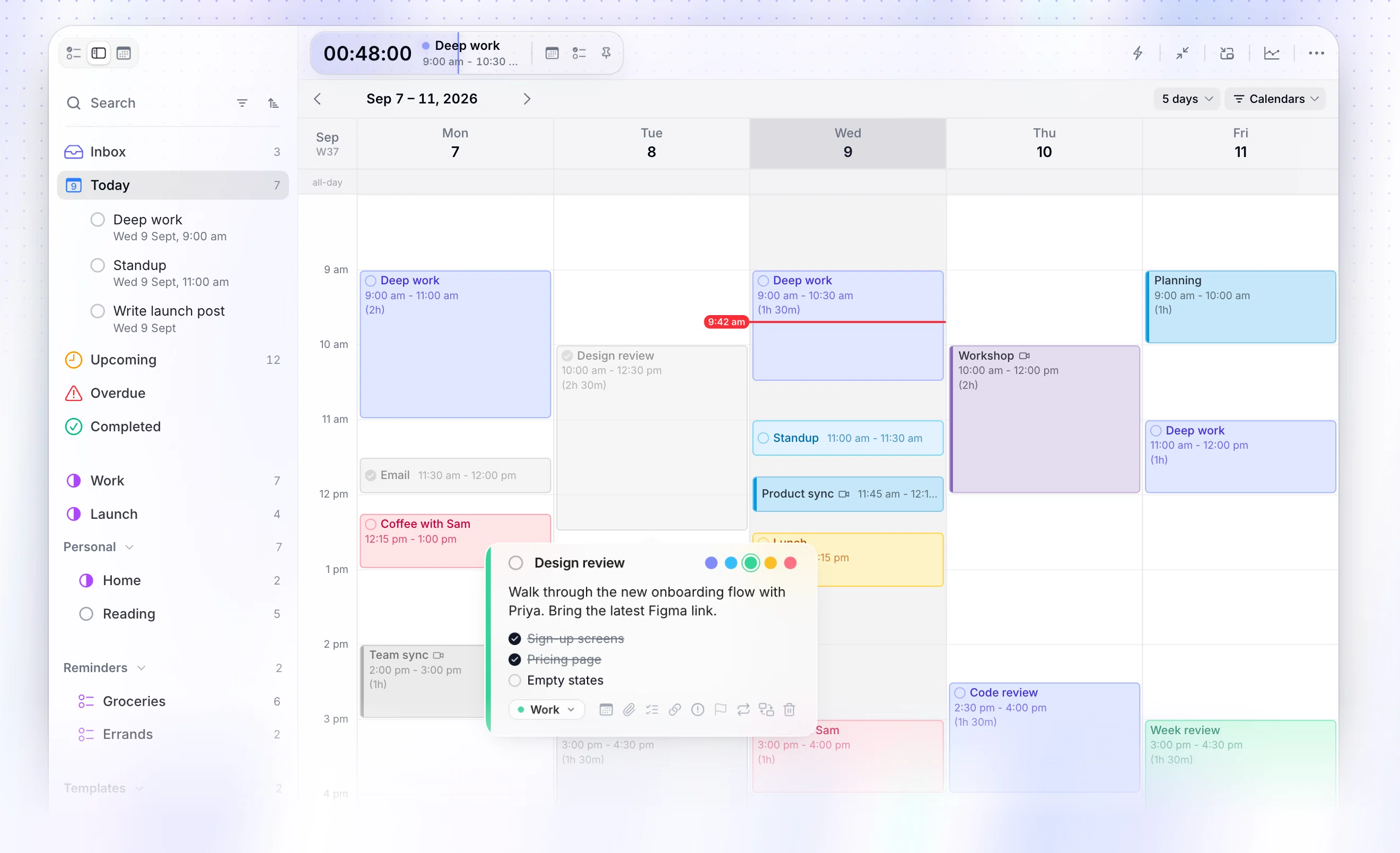
Chunk is a time blocking app for Mac. You place tasks on a daily timeline, give each one a duration, and edit the resulting blocks as plans change. That direct approach makes it easier to see whether six hours of intended work actually fit around lunch, meetings and the rest of your calendar.
This comparison focuses on one practical problem: turning an open-ended task list into bounded calendar blocks. It weighs each app by how it helps you estimate work, fit it into a real day and respond when the original plan stops being realistic.
What should a time boxing app actually do?
A time boxing app should let you assign a start, finish and duration to a defined piece of work. The calendar becomes a capacity map rather than a record of appointments. If your available day contains four hours and your task boxes total seven, the conflict is visible while you can still change the plan.
The spelling varies. “Timeboxing” is the standard compact form, while “time boxing” closely matches how the phrase is often searched. Both describe the same core method: decide what you will work on, limit how long it receives, then stop, review or reschedule when the box ends. If you want the broader method before choosing software, read what time blocking is and how it works.
A useful app also needs to reduce the gap between intention and calendar reality. Look for a visible daily timeline, quick duration editing, calendar context and a clear way to move unfinished work. A timer can help you stay aware of the current box, but it cannot replace the planning surface. The distinction matters when comparing a Pomodoro timer with a time-block planner.
Which app is best when you want to place the boxes yourself?
Choose manual time boxing when you want to decide which task belongs where. You estimate each duration, place the block and revise it when the day changes. This takes a little judgement, but it keeps the schedule legible: every block reflects a decision you made rather than a rule operating in the background.
Chunk
Chunk is the strongest pick here if you plan on a Mac and want tasks and calendar time in the same workflow. You can create tasks, set their preferred durations, drag them onto a day timeline, and move or resize the resulting blocks when your estimate changes.
Your Apple, Google and Outlook calendar events can appear alongside Chunk tasks through two-way calendar sync, including multiple Google and Outlook accounts. That context helps you box work around fixed commitments instead of drafting an isolated plan that collides with the rest of your day.
Chunk opens quickly from the menu bar and can detach into a normal resizable window. Its live countdown shows the remaining time in your current block, while day, week, month and list views give you different levels of planning detail. If this is the workflow you need, see the time blocking app for Mac.
Which app is best for a guided daily planning ritual?
A guided planner is useful when the hard part is not moving blocks but pausing long enough to choose what deserves space. It adds a deliberate review between your task sources and the calendar, helping you notice an overloaded plan before starting it. This model works best when you are willing to make planning a recurring appointment rather than expecting the app to remain invisible.
Sunsama
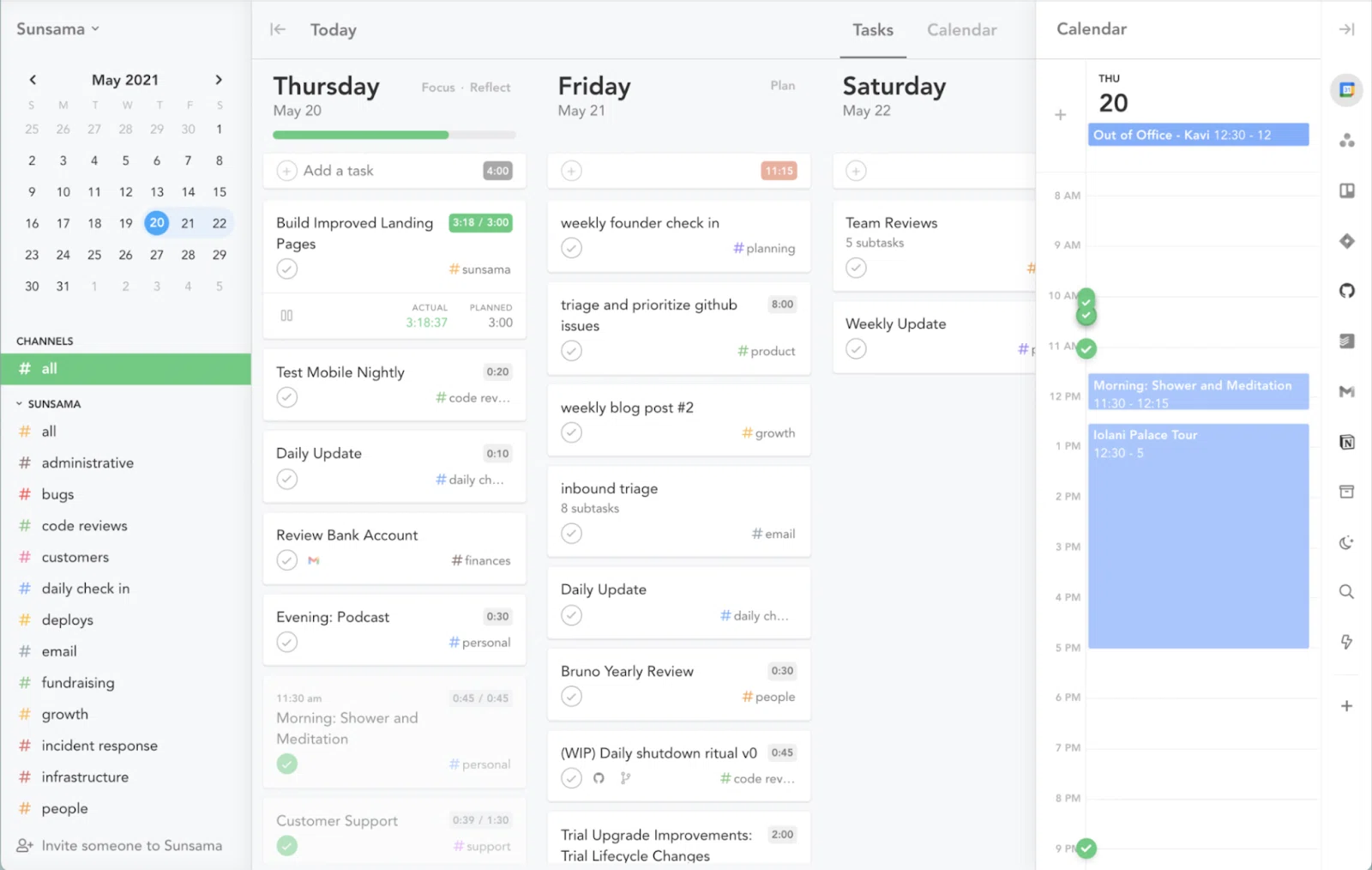
Sunsama is the clearest fit if you want a structured daily planning ritual. Its role in a time-boxing workflow is to help you choose work deliberately and place it against your calendar instead of carrying an unrestricted list into the day. That makes it particularly relevant when overcommitment begins during task selection, before the first block reaches your schedule.
It is available on macOS, Windows, Linux, iOS, iPadOS and Android, so it suits you when the planning ritual must follow you across desktop and mobile platforms. The trade-off is that you are choosing a broader guided system rather than the focused Mac workflow offered by Chunk. At $22 per month, it also asks you to treat the planning ritual as an ongoing service rather than a one-time software purchase.
The key question is whether the ritual earns its place in your day. If regular prompts help you review capacity and reduce overcommitment, the extra structure can be valuable. If you already know what matters and mainly need a fast timeline for placing and editing blocks, a direct manual planner may add less friction.
Test the ritual against a difficult day rather than an empty one. Bring in meetings, overdue work and more tasks than you can finish, then see whether the app helps you cut, defer and shorten commitments. A guided process should improve your decisions, not merely produce a tidier version of an overloaded list.
Which app is best when you want the schedule arranged for you?
Automatic scheduling takes a different position on time boxing. Instead of asking you to place every box, it uses task details such as priority and deadlines to arrange work in available time. This can reduce planning effort, but it also means the final calendar may reflect scheduling logic you need to inspect and adjust.
Motion
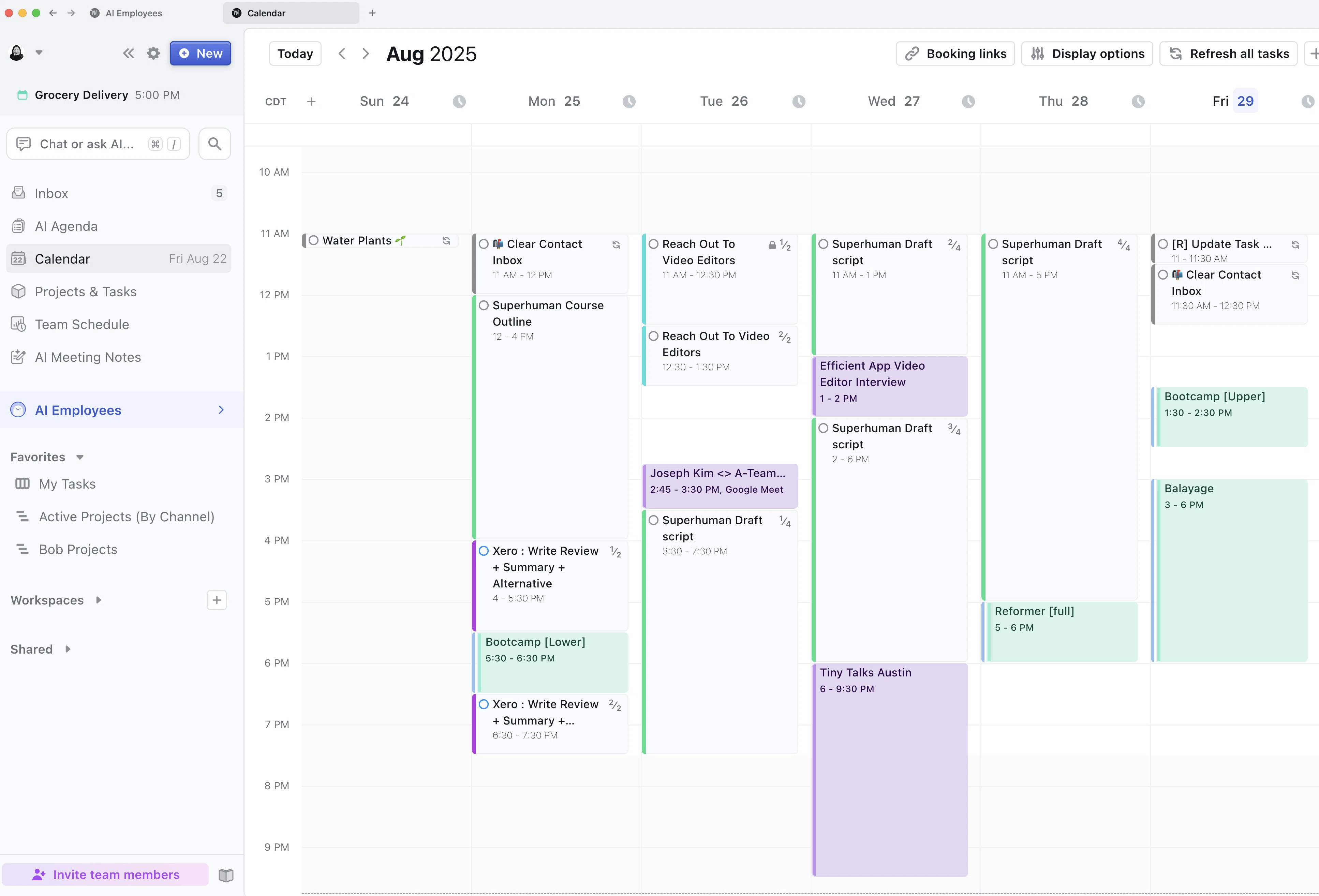
Motion is the best fit in this shortlist if you want automatic scheduling. It is designed to rearrange tasks according to priorities and deadlines, which can help when your calendar changes often and maintaining the plan manually feels like another job. The benefit is reduced calendar maintenance; the cost is giving the system more responsibility for deciding where work belongs.
Motion is available on desktop, iOS and Android. That broad platform coverage makes it a better match than Chunk when your time-boxing workflow must extend beyond a Mac, while Chunk is the better fit when you want to make the scheduling decisions yourself on macOS. Motion costs $19 per seat per month, so you should judge whether the time saved through automatic rearrangement justifies an ongoing subscription.
Before choosing automation, decide how much control you want at planning time. Automatic placement can relieve repeated calendar maintenance, yet it can also make a busy day look settled before you have challenged the underlying workload. Review the generated schedule as a proposal, not proof that every commitment is realistic.
A useful trial should include disruption. Add a late meeting, change a deadline and leave one scheduled task unfinished. Then check whether the revised plan still reflects your priorities and whether you understand why each task moved. If you repeatedly undo the suggested schedule, manual time boxing may require less supervision overall.
Which app is best when your task list comes first?
Some days begin with a calendar. Others begin with a long task list that needs sorting before any schedule makes sense. A task-first app is useful when capture, organisation and availability across devices matter more than a dedicated daily planning ritual.
Todoist
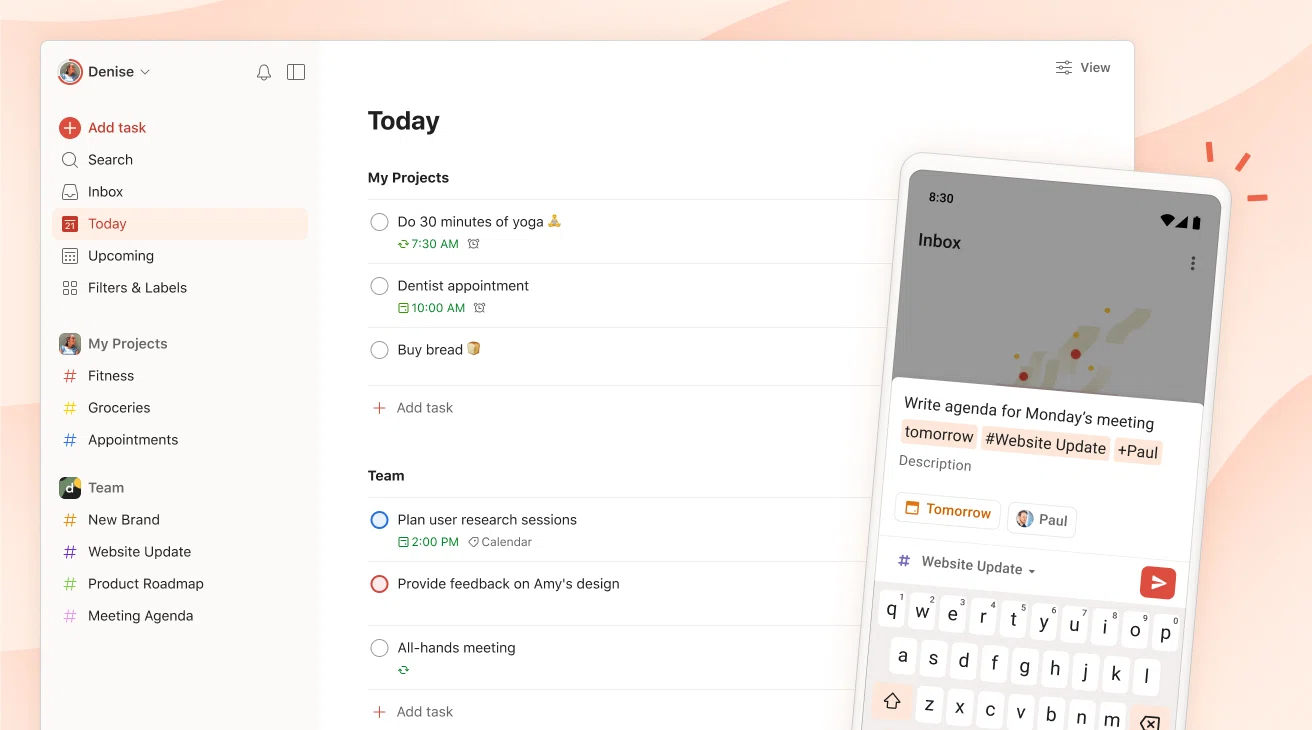
Todoist is the best fit in this comparison if your task system is the centre of the workflow. It combines a traditional task list with calendar-oriented planning and a built-in Pomodoro timer, giving you several ways to move from captured work towards focused execution.
It is available on Mac, Windows, Linux, iPhone, iPad, Android, Apple Watch and WearOS, with browser extensions and email add-ons. Choose it when wide access and task capture carry more weight than having a Mac-focused daily timeline at the centre of the app.
The practical test is whether you consistently assign time to tasks after organising them. A polished list can still hide impossible workload because ten tasks do not reveal ten durations. If you keep arranging priorities without deciding when the work will happen, use the calendar view deliberately or choose a planner that makes the daily timeline harder to ignore.
How do you choose the best time boxing app for your platform?
Start with the devices you genuinely use for planning, not every device you own. Chunk is for Mac. Sunsama spans desktop and mobile systems, Motion covers desktop plus iOS and Android, and Todoist has the broadest verified platform list in this comparison. If you need to plan from a phone, choose one of the verified cross-platform options rather than assuming Chunk has a mobile app.
Next, choose the scheduling model. Pick Chunk when you want manual placement, visible durations and synced calendars in a Mac workflow. Pick Sunsama when you want a guided daily ritual. Pick Motion when automatic rearrangement is the main attraction. Pick Todoist when task capture and broad availability come first.
Finally, decide how you want to pay. A free time boxing app can be useful for testing the method, but a free tier may limit the features that matter to your actual workflow. Chunk has a seven-day trial followed by a one-time licence, with Lifetime and Family options. If recurring fees are part of your decision, compare the broader choices in this guide to a time blocking app without a subscription.
How do you build a realistic day with any time boxing app?
Begin with fixed commitments. Put meetings, appointments and genuine deadlines on the timeline before flexible tasks. Then calculate the open space between them. That remaining space is your planning budget, not an invitation to fill every minute.
Estimate each important task as a bounded piece of work. “Write report” is open-ended; “draft the first two sections for 60 minutes” is a usable box. Leave gaps for transitions, food and tasks that run long. A schedule with no spare space is already late as soon as one block slips.
Choose one to three outcomes that would make the day worthwhile.
Give each outcome a duration before placing it.
Keep smaller tasks in a separate batch rather than scattering them through every gap.
Review unfinished boxes explicitly: complete, resize, reschedule or return them to the task list.
Chunk supports this loop directly on a Mac: drag a task onto the timeline, use its stored duration, then move or resize the block as reality provides better information. For a deeper Mac-specific comparison, see the best time-blocking apps for Mac.
Which time boxing app should you choose in 2026?
Choose Chunk if you are on a Mac and want to turn tasks into editable blocks yourself while seeing Apple, Google and Outlook calendar events in the same schedule. It addresses the central time-boxing problem directly: deciding how long work deserves, placing it within real capacity and revising the plan without losing the task.
Choose Sunsama when a guided daily review helps you commit more carefully. Choose Motion when you want scheduling logic to arrange and rearrange work. Choose Todoist when your priority is a widely available task system that can support calendar and timer-based planning. Platform coverage narrows the shortlist, but the better final test is whether you want direct control, guided reflection, automatic scheduling or task-first capture.
Do not choose from screenshots of an ideal day. Run the same overloaded plan through each trial: fixed meetings, several flexible tasks, one interruption and one unfinished box. Notice which app helps you decide what will not fit. Also check how quickly you can shorten a task, move it or return it to the backlog when an estimate proves wrong.
Whichever app you pick, judge it by the schedule it helps you refuse as much as the schedule it helps you create. A realistic planner should expose overload early. If manual control, calendar context and a focused Mac workflow match how you plan, start Chunk’s seven-day trial and build tomorrow from the fixed commitments outward.
Chunk vs the field.
A quick side-by-side. We kept it honest — Chunk isn't the right fit for everyone, and that's fine.
Chunk
This is usPricing reflects each tool's lowest-tier individual plan at time of writing. Check the source for current numbers.
Related articles



3 best ADHD calendar apps for visible time in 2026
3 best ADHD calendar apps for visible time in 2026