5 productivity apps for ADHD, grouped by the job they do
Published on 10/16/2026

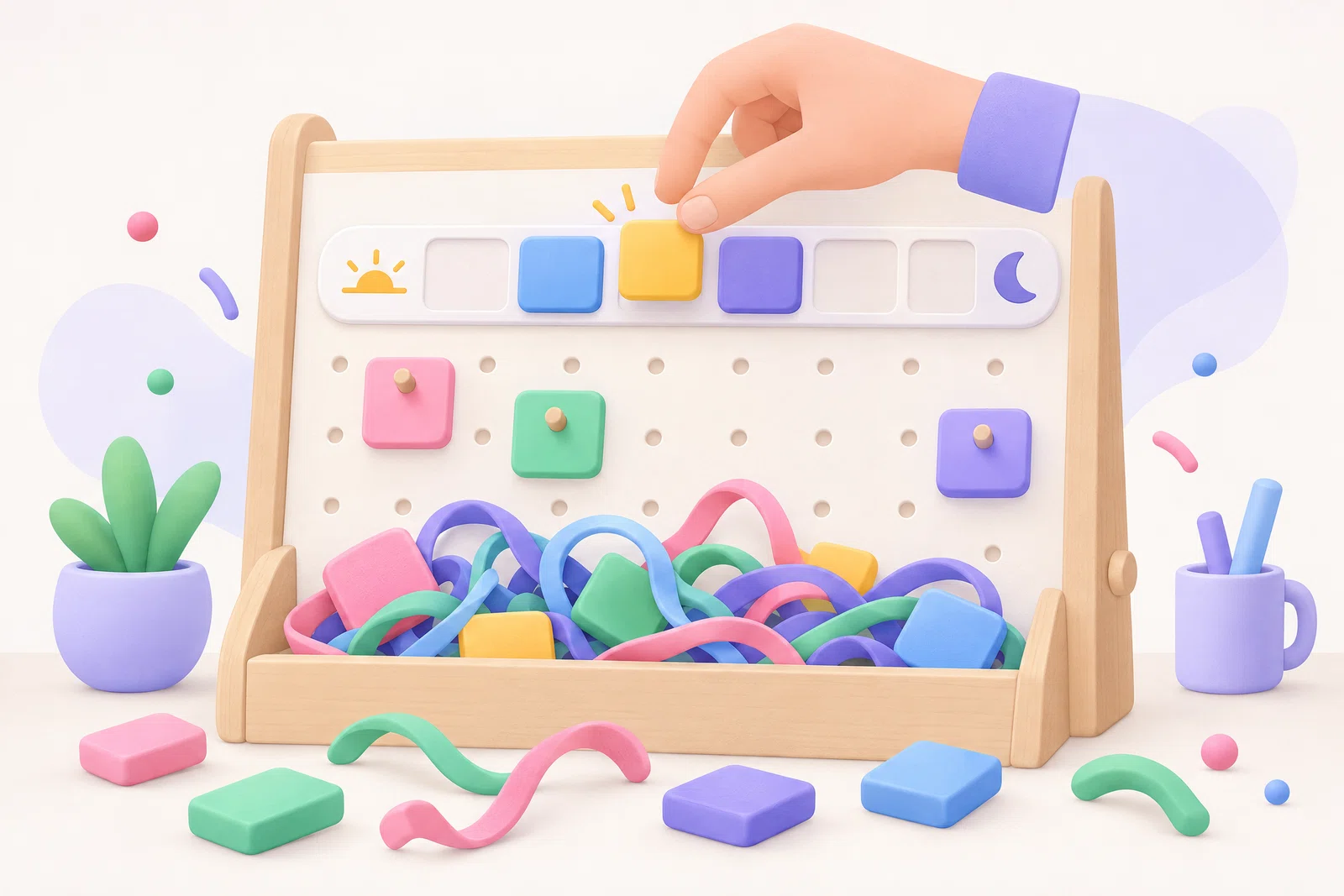
If you have ADHD, the most useful productivity setup is rarely one app. It is a small set where each tool does a single job well: catching tasks before they vanish, breaking a stuck task into a first step, and turning your list into a day you can actually see. This guide groups five apps by the job they do, so you can fill your biggest gap first instead of signing up for a suite that asks you to change everything at once.
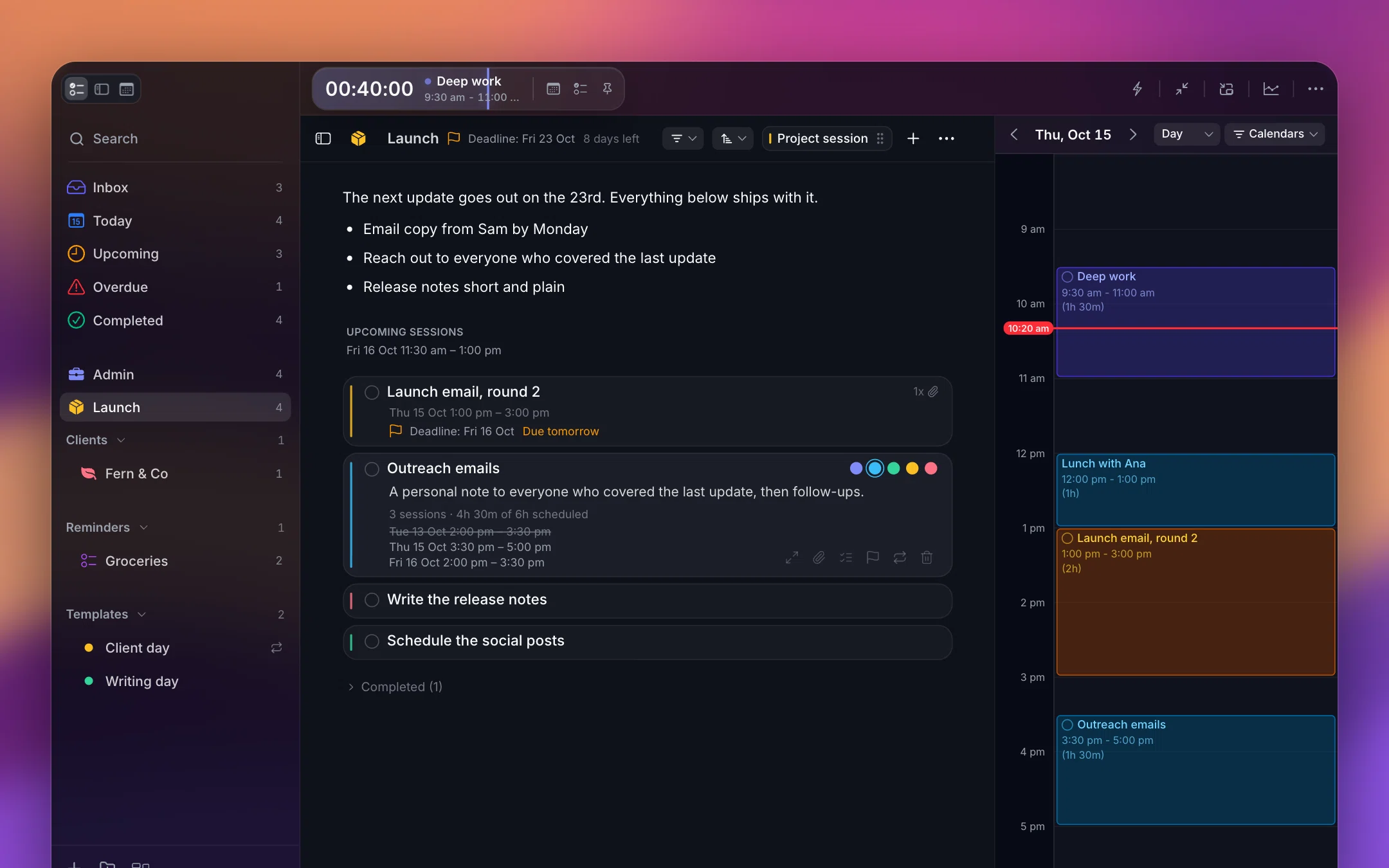
If you work on a Mac, Chunk is the planning pick in this list. Chunk is a time blocking app for Mac. It puts your tasks and your Google, Outlook and Apple calendars on one timeline, counts down the current block in your menu bar, and raises a fullscreen alert when a block starts or ends. The other four apps cover the jobs Chunk does not do, and several of them also run on your phone, which matters most for the capture job.
Each section below answers one question you might be asking right now, names the app that fits it, and says who it suits. Use it as a decision list, not a shopping list: one app per job, and only for the jobs that are actually hurting.
What should a productivity app for ADHD actually do?
An app earns its place by removing a step, not by adding features. Four tests shaped this list. The first is friction. If adding a task takes more than a couple of taps or one keyboard shortcut, you will stop adding tasks, usually within a week, and the app quietly becomes a record of the week you started using it.
The second test is one clear job. An app that does capture, habits, notes, projects and goals at once gives you five places to forget to check. The third is visible time. Time blindness, the difficulty of sensing how much time has passed or how long something will take, is one of the most commonly described ADHD struggles, and a plain list cannot show time at all. A timeline or a countdown can. Our explainer on ADHD time blindness covers why that matters.
The fourth test is forgiveness. You will drop any app for a week at some point; that is normal, not a failure. The better apps let you come back without a wall of overdue badges that makes reopening them feel like a telling-off. Prices and platforms below come from each app's own site or current listing at the time of writing. Where a price could not be confirmed, it is left out rather than guessed.
Why pick one app per job instead of an all-in-one suite?
All-in-one tools promise to end app-hopping, but they tend to arrive with a setup project attached. You spend the first evening building tags, areas and views, feel organised for three days, and then the structure becomes one more thing to maintain. If novelty is what gets you started, a large system burns through it fast, and the abandoned setup is harder to return to than a blank page.
A smaller stack asks less of you. Most ADHD productivity problems fall into four jobs: catching tasks before they vanish, breaking a vague task into a first step, turning the list into a day you can see, and keeping time visible once you are working. Pick the job that hurts most, add one app for it, and add a second only when the first has stuck for a couple of weeks.
Two or three apps is usually the ceiling. Past that, deciding which app a thought belongs in becomes its own small decision, and small decisions are exactly what drain you on a hard day. If you want a wider framework for judging any ADHD app before you install it, our guide on how to pick an app for ADHD walks through the questions to ask.
Which app catches tasks before they slip away?
Capture is the job everything else depends on. A task that lives only in your head competes with every other thought, and it tends to lose. Your capture tool needs to be fast enough to use mid-conversation and available on whichever device is in your hand when the thought arrives, which for most of the day is a phone.
Todoist
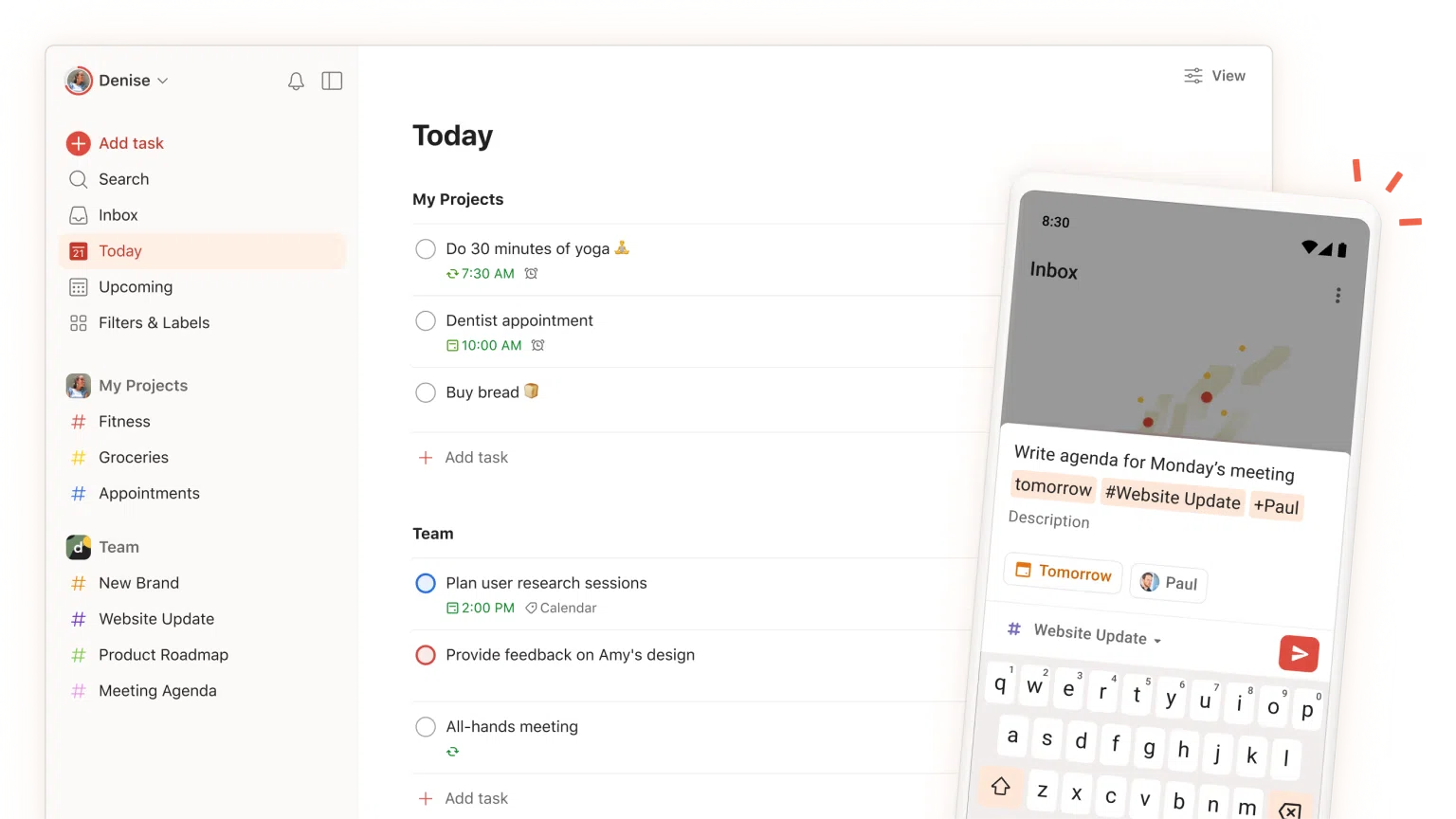
Todoist is the capture-and-list pick. Its quick-add box understands typed dates, so writing "call dentist friday 3pm" creates a dated task without opening a menu, and Todoist has apps for Mac, Windows, Linux, the web, iPhone, iPad, Android, Apple Watch and Wear OS. It suits you if you move between devices all day and want one inbox that is always within reach. Paid plans cost $5 a month billed yearly ($60 a year) or $7 a month billed monthly.
Todoist is a list, though, not a schedule. It tells you what exists, not when you will do it. That is why it pairs well with one of the planners further down rather than replacing one: the list holds everything, and the planner holds the handful of things you are doing today.
Which app breaks a big task into steps you can start?
Task paralysis often comes from a task that is really a project in disguise. "Sort out taxes" has no obvious first move, so it sits on the list for weeks while easier, less important tasks get done around it. Splitting it into small, concrete steps gives you something you can begin in the next five minutes, which is usually all you need to get moving.
Goblin Tools
Goblin Tools is the breakdown pick. Its Magic ToDo tool takes a vague task and splits it into smaller steps, and you can ask for more or less detail depending on how stuck you feel. It runs on the web and as mobile apps, and the mobile app is a $2.99 one-time purchase. It suits you if starting is the hard part and you want a quick nudge rather than another system to look after.
Treat it as a stepping stone, not a home. Copy the first two or three steps into your capture app or planner, then close it. The steps only help once they have a place in your day. For more on getting past that first move, see our guide to how to start tasks with ADHD.
Which apps turn your list into a day you can see?
This is the job that answers time blindness most directly. A visual timeline shows each task as a block with a start and an end, so "I'll do it later" becomes "I'll do it at 2pm, and I have 45 minutes". Seeing the gaps between meetings also stops you from planning eight hours of work into a day that only has three free. That idea is the basis of time blocking for ADHD.
Three apps in this list do the planning job well. Which one fits depends mostly on where you spend your day: at a desk, on your phone, or across both.
Chunk
Chunk is the planning pick if you work on a Mac. It syncs two ways with Google, Outlook and Apple Calendar, so your meetings sit on the same timeline as the tasks you drag onto it, and moving a block in Chunk moves it in the source calendar too. Chunk runs on Mac only, with a 7-day free trial and then a one-time licence. It suits you if your workday happens at a desk and your calendar already fills up with meetings you did not schedule.
The panel also floats over fullscreen apps, so you can check the plan without leaving the document you are working in. There is more on how it works on the time blocking app for Mac page.
Structured
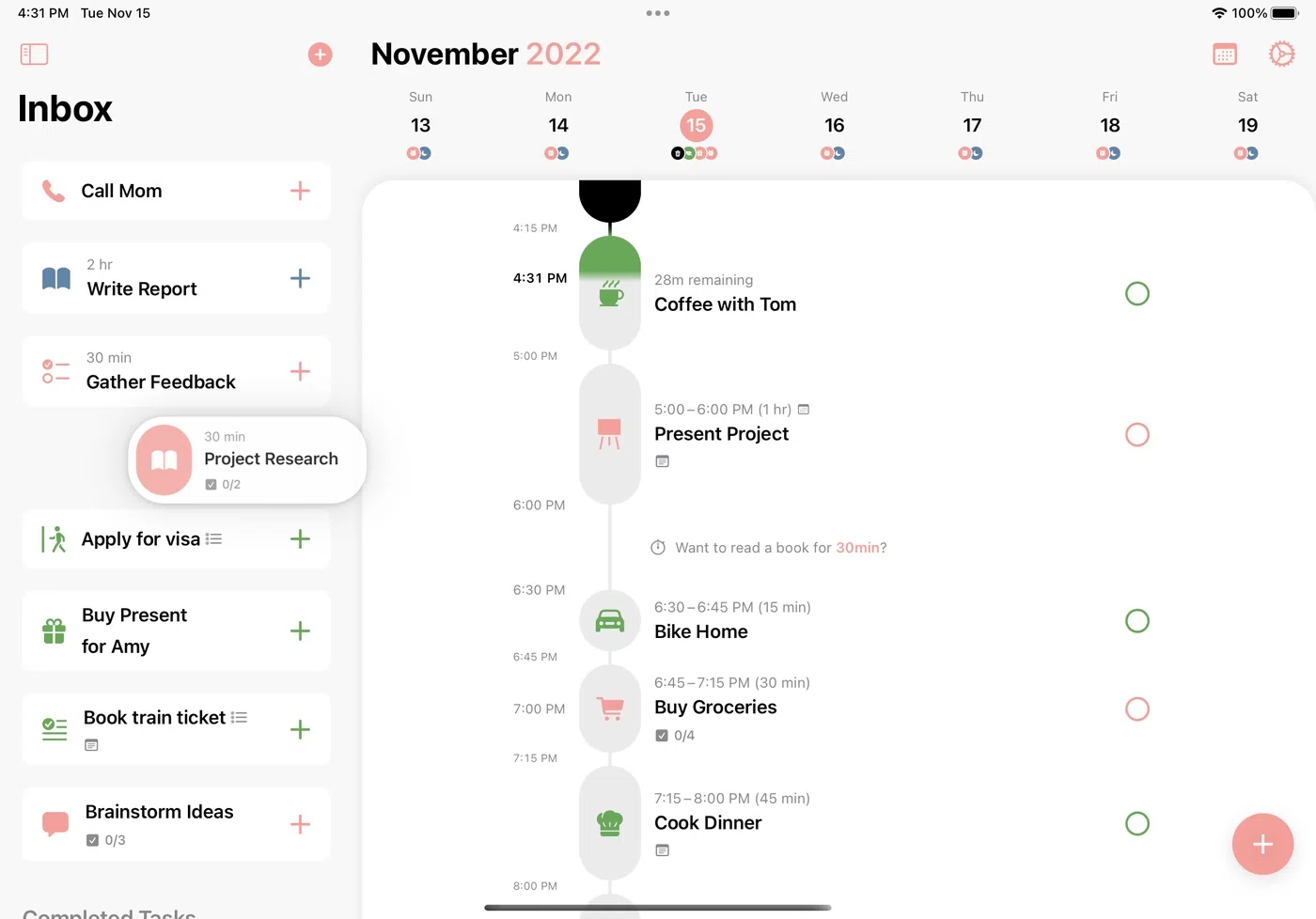
Structured is the phone-first visual planner. It lays your day out as a single timeline of tasks and routines, which makes it easy to see what comes next at a glance. It runs on iPhone, Android and the web. It suits you if most of your day happens away from a desk and your phone is the screen you actually look at.
Sorted
Sorted puts a task list and a schedule in one view, so you can move a task into a time slot without switching apps. It runs on iPhone and Mac. Pro is $24.99 one-time on Mac ($14.99 on iOS), and there is a free tier if you want to try it first. It suits you if you want your list and your timeline in the same app across Apple devices, and you prefer paying once.
How do you keep time visible once the day starts?
A plan made at 9am does not help much if you lose the thread at 10:15. The fourth job is keeping the current block in view while you work, so hyperfocus does not swallow the afternoon and transitions do not catch you off guard. A plan you cannot see while you work is a plan you will forget about.
On a Mac, Chunk covers this from the planner itself. The current block counts down in your menu bar, an optional floating mini timer stays on screen when the app is closed, and a fullscreen alert fires when a block starts or ends. When a block ends unfinished, the alert lets you mark it complete or reschedule it to the next free slot, and anything you missed collects in an Unfinished group in Today instead of vanishing.
On a phone, Structured's timeline does a similar job when you open it, and a simple phone timer works alongside any planner here. Two related jobs sit outside this list. If you work better with someone else present, body doubling is its own category of app and worth trying separately. And if you are not sure how long your blocks should be, our piece on how long ADHD time blocks should be covers it.
How do the five apps fit together on a normal day?
A realistic stack is two or three apps with clear handoffs between them. One shape that works on a Mac: capture anything that comes up into one inbox during the day, run anything that feels too big through a breakdown tool, then each morning choose a few tasks and give them a place on your timeline. Capture is loose, planning is deliberate.
Be honest about the handoffs. Chunk does not import from Todoist, Goblin Tools or Sorted, so if one of those is your capture app, the morning step is you choosing today's tasks and adding them to Chunk by hand. That step is useful in its own right: picking three tasks and placing them is the plan. If you would rather the handoff happened by itself, Chunk syncs two ways with Apple Reminders, so a reminder you add in the Reminders app can appear in Chunk's task sidebar, ready to drag onto the day.
Chunk also has templates and routines for days that repeat, so a standard morning can drop onto your timeline automatically instead of being rebuilt each day. If you use Claude, Chunk's local MCP server lets you ask Claude to draft a plan from your tasks and calendar. Claude does what you ask it to, and you decide which blocks stay.
Which ADHD productivity app should you start with?
Start with the problem you hit most often this week, not the app with the longest feature list. Match the problem to the job:
If tasks vanish before you write them down, start with Todoist.
If you stare at a task and cannot begin, start with Goblin Tools.
If you lose track of time at a desk on a Mac, start with Chunk.
If your day happens mostly on your phone, start with Structured.
If you want your list and schedule in one app across iPhone and Mac, try Sorted.
Give the first app two weeks before adding another, and expect a wobble around day four when the novelty fades. That wobble is the moment to simplify, not to switch. For a wider view of Mac tools beyond these five, see our roundup of the best Mac apps for ADHD.
If your afternoons keep disappearing, try the planning job first. Start Chunk's 7-day trial, connect the calendar you already use, and put tomorrow's three most important tasks on the timeline tonight. Tomorrow the plan is counting down in your menu bar, so you are not trying to hold it in your head.
Chunk vs the field.
A quick side-by-side. We kept it honest — Chunk isn't the right fit for everyone, and that's fine.
Chunk
This is usPricing reflects each tool's lowest-tier individual plan at time of writing. Check the source for current numbers.