Best ADHD apps for adults in 2026: 11 apps compared
Published on 9/10/2026

If you have gone looking for the best ADHD apps for adults lately, you have probably read the same five recommendations six times over, with nothing that tells you what any of them actually do once you open them.
So here are eleven, described from each app's own current documentation and store listing, with what it charges today and where it falls down. Some are built specifically for ADHD brains. Some are ordinary productivity tools that happen to suit one, and we say which is which. If you want the thinking behind the choice rather than the list itself, our guide on how to pick an ADHD app that sticks covers the trade-offs.
How we chose these, and what "best" means here
We did not run a clinical trial. Nobody has. What we did was read each app's current documentation, pricing page and store listing, and describe only the behaviour we could point at. Where a feature sits behind a paid tier, we say so. One exception: Tiimo does not publish a price anywhere, by its own admission, so its section describes that fact instead of guessing a number.
Prices are the standard individual rate in US dollars at the time of writing, and every one of these apps charges differently by region and changes its mind occasionally. Check the source before you buy.
One disclosure. Chunk is ours. It sits first because it is the app we can describe from the inside, not because a panel voted. It is also the one with the narrowest fit, and we have tried to be straight about that.
What can an ADHD app actually do for you?
It can hold information so you do not have to. It can make an hour visible instead of abstract, which matters if time blindness is the thing that keeps eating your afternoons. It can lower the cost of starting by making the first step small and obvious. And it can forgive you when the day goes sideways, which most calendars are terrible at.
What it cannot do is treat ADHD. None of these apps is a substitute for a diagnosis, medication, therapy or coaching, and the better ones say so themselves. Think of an app as scaffolding around the parts of executive function that are already working hard, not as the thing doing the work.
One warning before you start downloading. Most people who abandon an ADHD app do it in week two, when the setup cost turns out to be higher than the daily payoff. Pick for the job you need doing this week, not for the feature list.
1. Chunk: a time blocking app for Mac that syncs your calendars
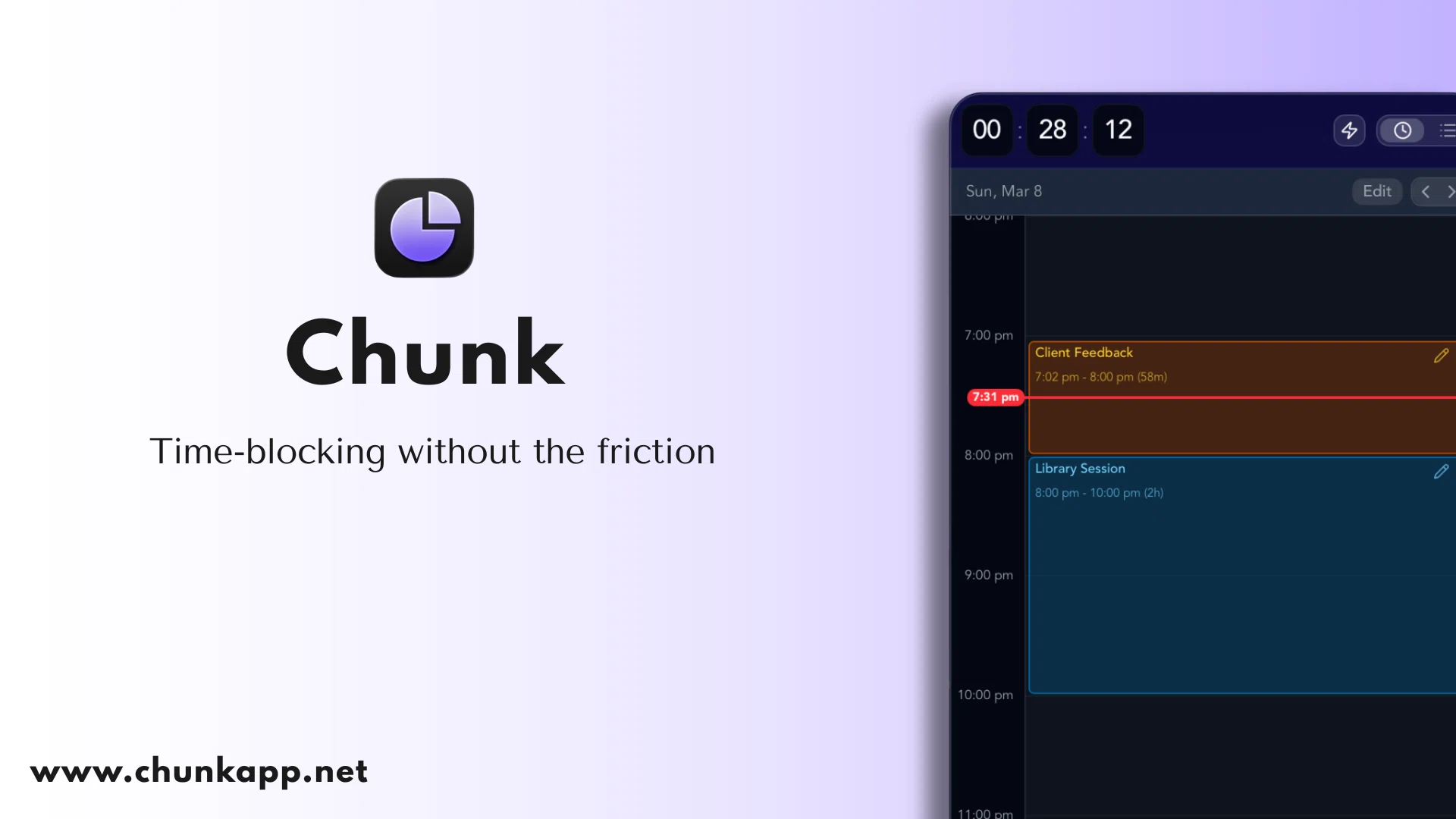
Chunk is a macOS app for blocking out your day. You drag tasks onto a timeline, each block gets a colour and a countdown, and the app tells you when one thing ends and the next begins. It is not marketed as an ADHD tool and it does not claim to be one, but the two things it does well, making time visible and cutting the number of decisions in front of you, are the two things people with ADHD most often ask software for.
Calendar sync goes both ways across multiple Google and Outlook accounts plus Apple Calendar, so a block you create in Chunk shows up in the calendar your colleagues can see. Apple Reminders syncs both ways too, which means the tasks you dictate to your phone land in the same list you plan from.
Templates and routines. Build a typical Tuesday once and have it apply itself on the days you choose. Most of the daily setup cost disappears.
Fullscreen notifications. A banner is easy to miss. Chunk can take over the screen at a transition, and you can complete or reschedule the task straight from the alert.
A live countdown in the menu bar and a floating mini timer, so the time remaining is visible without opening anything.
Recurring tasks with per-occurrence skip, reschedule and pause, for the weeks where the usual pattern does not survive contact with reality.
A local MCP server that lets you hand planning to Claude in plain language and keep your schedule on your own machine while you do it.
Who it is not for. Chunk is Mac only. If you plan on a phone, or you share a Windows machine at work, this is the wrong tool. There is no free tier either, just a seven day trial and then a one-time licence. If the method is new to you, start with time blocking for ADHD before you pick any app at all. If you want the detail on ours, it lives on the time blocking app for Mac page.
2. Tiimo: your day as a visual timeline
Tiimo started as a planning tool for neurodivergent children and grew into one of the few apps that is openly designed for adult ADHD and autism. Its whole premise is that a list of words is harder to act on than a coloured strip of time with an icon on it.
It runs on iPhone, iPad, Apple Watch, Android, Mac and the web, and it imports Google, iCloud and Outlook calendars so your meetings sit alongside your plan. Widgets and Live Activities keep the current task on your lock screen, which is the bit that stops the app becoming another thing you forget to open.
Visual routines you build once and reuse, with colour coding and icons rather than text alone.
A focus timer that shows time passing rather than just counting it.
AI planning that breaks a task into steps and estimates how long each will take.
Mood and energy tracking, if you want to see which days actually went well.
Who it is not for. The free plan only exists on the mobile apps, not the web planner, and Tiimo does not publish a price for Pro: your local rate is shown at checkout in the App Store, Google Play or on the web. The seven day trial only applies if you take the yearly plan.
3. Structured: one timeline for tasks and calendar
Structured puts everything on a single vertical timeline. Tasks, imported calendar events and focus sessions all sit in the same column, in order, which makes an overloaded day obvious at a glance instead of after you have missed something.
It is unusually generous about what stays free. Nearly all of the core planning works without paying, with no ads. Pro adds the calendar and Reminders imports, recurring tasks, the Replan tool, custom notifications and Structured AI.
A single day timeline with subtasks you can tick off in place.
Weekly and monthly views when the day view is not enough.
Wide platform coverage. iPhone, iPad, Mac, Apple Watch, Vision Pro, Android and the web.
Who it is not for. The Pro feature set is still thinner on Android and the web than on Apple platforms, and the two things most people want (calendar import and recurring tasks) are both behind Pro. The lifetime price has climbed over the years and now sits at $99.99.
4. Llama Life: one task, one timer
Llama Life was built by a founder with ADHD and it does one thing: it puts a countdown on every task and shows you when the list will finish. That second part is the interesting bit. Knowing your list runs to 6:40pm is a much sharper piece of information than knowing it has eleven items on it.
A timer per task, with a choice of alarm sounds and confetti when you finish one.
Total list time and estimated finish time, recalculated as you go.
A Not Now list for things you want to keep without having them stare at you.
Background white noise and timers that follow you between the phone app and the web.
Who it is not for. It is web, iPhone and Android, there is no free tier at all, and it is deliberately not a calendar. If you need meetings and tasks in the same place, this is a companion rather than a system.
5. Goblin Tools: for when the task is too big to start
Goblin Tools is a set of small web tools built, in its own words, mostly to help neurodivergent people with tasks they find overwhelming. The one everybody uses is Magic ToDo. You type in something vague like "sort out the spare room" and it returns steps.
The clever part is the chilli pepper slider. It tells the tool how hard this particular task feels to you today, not how complex it is objectively. One chilli gives you a short checklist. Five gives you fifteen or more micro-steps, for the days when you genuinely cannot see the first move. Same task, different granularity, because the problem is not the task.
Magic ToDo for breakdowns, plus Estimator for how long something will take.
Formalizer rewrites a message in a different tone, and Judge reads one back to you for emotional content, which is quietly useful before you reply to something at 11pm.
Free on the web, no account, no paywall. The mobile apps are a $0.99 one-time purchase, and there is a separate optional Pro subscription at $3.99 a month for syncing and extra features.
Who it is not for. It is not a planner and does not remember your day. The site also says plainly that the output is guesswork and can be wrong, so treat the steps as a first draft. If starting is your main blocker, our piece on how to start tasks with ADHD covers what to do once you have the list.
6. Todoist: capture now, sort later
Todoist is not an ADHD app. It appears on every one of these lists anyway, for one good reason: it is the fastest way to get a thought out of your head on whatever device is nearest, and it runs on nearly everything. Type "email Sam Friday 9am" and it parses the date without you touching a picker.
For a lot of adults the actual problem is not scheduling, it is that ideas evaporate between the kitchen and the desk. Todoist solves that specific problem better than most.
Natural language quick add and a share sheet on every platform.
Free plan with five personal projects and task reminders included.
Pro at $7 a month, or $5 a month billed yearly, adds the calendar layout, task durations and custom reminders, with a seven day trial.
Who it is not for. A long flat list is exactly the thing that causes paralysis for some people, and Todoist will happily let you build one. It also has no opinion about your day. It tells you what is due, not when you will do it.
7. Amazing Marvin: build the system that fits your brain
Amazing Marvin takes the opposite position to every other app here. Rather than pick a method for you, it ships more than a hundred toggleable features and lets you assemble the one that fits. Kanban, day planning, time tracking, a "Do it now" mode, task backup, rewards: turn on what helps, hide the rest.
It has a devoted ADHD following because it is one of the few tools that adapts when the system you built in January stops working in March.
A 14 day free trial with no card required, which is rarer than it should be.
Apps for Mac, Windows, Linux, iOS, Android and the web.
Flexible pricing. $12 a month, or $8 a month billed yearly, with a student discount and an open invitation to ask for a lower rate if the price is a barrier.
Who it is not for. Configurability is a trap if tinkering is your procrastination of choice. There is no free tier after the trial, and it is the most expensive general task manager on this list.
8. Focusmate: body doubling with a real person
Focusmate is not software that organises anything. You book a 25, 50 or 75 minute slot, it pairs you with a stranger somewhere in the world on video, you both say what you are about to do, and then you work in silence with a person on the screen.
Body doubling sounds absurd until you try it. Having someone quietly present while you do a task, without them helping, is one of the oldest ADHD strategies there is, and this is the cheapest way to get it on demand.
Three free sessions a week with no credit card required.
Unlimited sessions for $12 a month, or $8 a month billed yearly.
Runs in the browser on desktop or mobile. Nothing to install.
Who it is not for. It requires a camera, a booking made in advance, and a tolerance for being on video with a stranger. Three sessions a week is enough to test it and not enough to rely on it.
9. Freedom: block the thing that eats the block
Freedom blocks sites and apps across all your devices at once, on a schedule or on demand. Its usefulness here is narrow and real: a planned block of deep work survives about as long as your access to the app you reach for when the work gets uncomfortable.
Blocks websites, apps or the whole internet, with sessions synced across every device you have installed it on.
Mac, Windows, iOS, Android and Chromebook.
Free plan, a seven day Premium trial, then $8.99 a month, $3.33 a month billed yearly, or a one-time Forever licence.
Who it is not for. It plans nothing and schedules nothing. It also cannot stop you picking up a device it is not installed on, and website exceptions do not work on iOS or Android.
10. Finch: small daily habits, no pressure
Finch is a self-care app with a bird in it. You set small daily goals, and completing them earns energy that sends your pet on an adventure. It sounds twee written down, and it is by some distance the gentlest thing on this list.
It earns its place because it is built for the days when a productivity system is more than you can face. The goals can be as small as "drink water" or "get out of bed", and nothing shames you for a missed streak.
Free to use, with the actual self-care tools in the free tier.
Finch Plus at $9.99 a month or $69.99 a year adds more goal types, journeys and items for the bird.
iPhone and Android only.
Who it is not for. It will not schedule anything, sync a calendar or help you finish a report. Treat it as a floor, not a system.
11. Inflow: a structured ADHD programme, not a planner
Inflow is the odd one out. It is a subscription programme of CBT-informed modules, roughly five minutes a day, built with clinicians and paired with a peer community and optional coaching. There is no timeline and no task list in the sense the other ten mean it.
Inflow is clear about its own limits, and we will repeat them rather than soften them. It states that it is not a diagnostic tool, does not provide clinical services, and is not meant to replace medication or in-person therapy.
Daily exercises and interactive journaling, narrated by co-founder Dr George Sachs and guest experts.
$47.99 a month or $199 a year after a seven day trial, with a student discount and a financial assistance programme.
iPhone and Android.
Who it is not for. Anyone looking for a planner. It is also the most expensive thing on this page by a wide margin, and the value depends entirely on whether you engage with the content rather than whether the software is good.
Which ADHD app should you start with?
Pick by the failure you actually hit, not by the feature list.
The day disappears and you cannot say where it went. Structured or Tiimo, or Chunk if you work on a Mac and want blocks that write back to your real calendar.
You know what to do and cannot start. Llama Life for the timer, Focusmate for the person, Goblin Tools when the first step is invisible.
Things fall out of your head before you write them down. Todoist.
You start well and then lose the hour to a browser tab. Freedom.
The basics are the hard part right now. Finch, and be kind about it.
You want to understand the mechanics rather than manage the symptoms. Inflow, alongside proper care rather than instead of it.
If your work happens on a Mac, we have gone deeper on that specific setup in our roundup of the best Mac apps for ADHD, including the capture and focus tools that sit around a planner.
How many ADHD apps do you actually need?
Two, usually. One that holds the plan and one that solves your single worst failure mode. A planner plus a blocker, or a planner plus a breakdown tool.
Three is where it starts to fall apart, because every extra app is another place a task can hide and another thing to open in the morning. If you already own four and use none of them, the answer is not a fifth.
Are the free ADHD apps any good?
Some of them are genuinely good and not crippled. Goblin Tools is free on the web with no account. Structured leaves nearly all of its core planning outside the paywall. Finch keeps the self-care tools free and charges for cosmetics. Focusmate gives you three real sessions a week.
The paid ones follow a pattern. Calendar sync, recurring tasks and custom reminders are almost always the features behind the subscription, and those are the three that decide whether an app survives past week two. Test the free tier on the week you are dreading, not the week you are motivated.
Where to start
Download one. Not three. Give it the week, put your real commitments in it, and see whether it survives a bad Wednesday rather than a good Monday.
If that app is going to live on a Mac, Chunk is free for seven days and does not ask for a card to start. Block out tomorrow morning before you close this tab, and see what a planned morning actually feels like.
Chunk vs the field.
A quick side-by-side. We kept it honest — Chunk isn't the right fit for everyone, and that's fine.
Chunk
This is usPricing reflects each tool's lowest-tier individual plan at time of writing. Check the source for current numbers.
Related articles


How to start tasks with ADHD when willpower isn't the answer
How to start tasks with ADHD when willpower isn't the answer
Time blocking with ADHD: how long should each block actually be?
Time blocking with ADHD: how long should each block actually be?