Chunk 2.0 Is Here: A Time Blocking App for Mac That Actually Stays Out of Your Way
Published on 3/20/2026

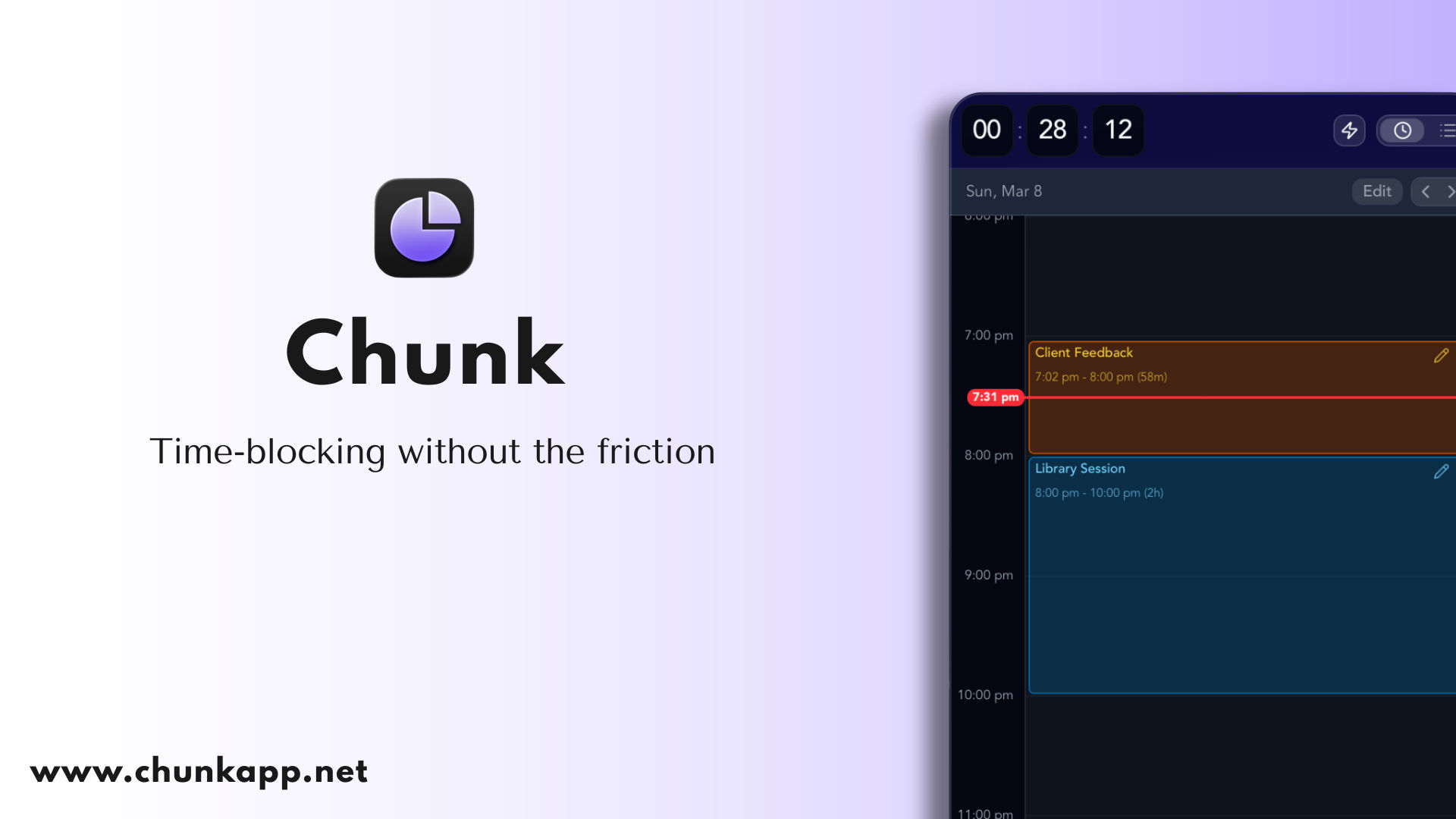
Most time blocking apps try to do too much. They bolt on project management, team collaboration, AI scheduling, and a dozen integrations you never asked for. Then they charge you monthly for the privilege.
Chunk 2.0 goes the other way. It's a time blocking app for Mac that does one thing well: it helps you plan your day in blocks and actually stick to the plan. No accounts, no cloud sync, no subscription. Just open it, build your day, and get to work.
Here's what's new — and what makes it different.
What's in Chunk 2.0
Calendar sync that works both ways
Chunk now pulls events from Apple Calendar, Google Calendar, Outlook, and Apple Reminders directly into your timeline. Your existing commitments show up alongside your time blocks, so you can plan around meetings instead of double-booking yourself. It's the kind of feature that sounds obvious, but most standalone time blocking tools either skip it entirely or lock it behind a paid tier.
The sync happens locally through macOS — Chunk reads your calendars the same way any native app would, without routing anything through a third-party server. So if you're already managing your life across a couple of calendars, everything just shows up.
Templates and routines for days that repeat
If your Mondays look roughly the same every week, you shouldn't have to rebuild them from scratch. Templates let you save a full day layout and drop it in whenever you need it. Routines go further — set one up and it repeats automatically on the days you choose. For anyone whose work has a rhythm to it, this alone saves real time.
A menubar timer you'll actually use
The menubar timer sits quietly at the top of your screen showing your current block and how long you've got left. No need to switch windows, no distracting popups — just a glance. When a block finishes, you get a fullscreen alert that's hard to miss (on purpose). It's a small detail, but it makes the difference between a plan that lives on screen and one you actually follow.
Instant tasks for when plans change
Not every task needs a slot planned 45 minutes in advance. Instant tasks let you start a one-off timer with a single click. Got a quick call to make or a task that just landed in your lap? Start timing it immediately without rearranging your whole day.
Week view for planning ahead
Day-by-day planning is fine, but sometimes you need the bigger picture. The week view lets you lay out blocks across multiple days, spot gaps, and make sure you're not cramming everything into Thursday afternoon. It's especially useful on a Sunday evening or Monday morning when you want to sketch out the shape of your week before diving in.
Light and dark themes
Small thing, but worth mentioning. Chunk supports both light and dark modes, and follows your macOS system preference by default. If you're working late, your planner won't blast you with a white screen.
Built for focus, not feature lists
There's a reason Chunk runs as a native Mac app and stores everything locally on your machine. It's an offline time blocking app — it opens fast, it doesn't phone home, and your data stays yours. In a market full of Electron-wrapped web apps that need an internet connection to show you your own to-do list, that matters.
It also runs from the menubar, which means it's always there without cluttering your dock or fighting for window space. If you've tried macOS time blocking with a full-blown calendar app, you'll know how much overhead that adds. Chunk's philosophy is the opposite — a planning tool should take up as little of your attention as possible. Save that for the actual work.
Why time blocking works (and why most people quit)
The idea behind time blocking is simple: instead of keeping a list of things to do and hoping you get to them, you assign each task a specific window of time on your calendar. It forces you to be realistic about how much fits in a day, and it creates structure that a to-do list alone can't provide.
The problem is that most people who try time blocking give it up within a week or two. Not because the method doesn't work, but because the tooling gets in the way. Rebuilding your plan every morning is tedious. Missing a block and watching your whole schedule fall apart is discouraging. And using a general-purpose calendar for time blocking means your focused work sits alongside dentist appointments and team syncs with no distinction between the two.
Chunk was built to fix exactly these friction points. Templates handle the repetitive planning. The menubar timer keeps you honest without being annoying. Instant tasks let you absorb interruptions without scrapping your whole day. And because it's a dedicated time block planner rather than a calendar you've repurposed, the whole interface is built around the workflow rather than bolted on top of something else. Time blocking only works if the tool makes it easy to keep going — not just easy to start.
A note on ADHD and time blocking
A lot of Chunk's users found it specifically because they were looking for an ADHD time blocking app and traditional planners weren't cutting it. Time blocking as a method helps because it turns a vague to-do list into a concrete schedule. Instead of "I should work on that report at some point," it becomes "Report: 10:00–11:30."
Chunk leans into this. The fullscreen alerts stop you from accidentally blowing past a time block. Templates remove the daily decision fatigue of planning from zero. And because it's a native macOS app, there's no loading spinner between you and your plan. The lower the friction between "I should start this task" and actually starting it, the more likely you are to follow through — and that's the whole point.
If this sounds like it might help, there's a deeper dive in our ADHD Planner guide.
Your data stays on your Mac
This is worth calling out separately because it's becoming rarer. Chunk stores everything locally. There's no account to create, no email to hand over, no cloud database holding your daily schedule. Your data lives on your machine and nowhere else.
That means Chunk works without an internet connection. It means nobody's mining your habits. And it means if you ever stop using it, there's no orphaned account floating around with your data attached.
Privacy shouldn't be a premium feature. With Chunk, it's the default.
No subscription. One price. Done.
Chunk is a one-time purchase. You buy it, you own it. There's also a 7-day free trial with no credit card required, so you can actually try it before deciding.
The subscription model makes sense for some apps, but a time block planner that stores data locally on your Mac doesn't need a recurring revenue stream to keep running. You shouldn't have to pay monthly to see your own schedule. It's a tool, not a service — and the pricing reflects that.
Try Chunk 2.0
If you've been looking for a time blocking app for Mac that's fast, focused, and doesn't try to replace your entire productivity stack — give Chunk a go. It runs on macOS 12 and above, works with Apple Silicon and Intel Macs, and the free trial takes about 30 seconds to set up. No credit card, no account — just download it and start planning your day.